Welcome Suica Mobile: The One App Every Japan Visitor Needs on Their Phone
There is a moment on almost every first trip to Japan that goes like this: you arrive at a train station, realise you do not have the right ticket, join a queue at the machine, fumble with yen coins, accidentally select the wrong fare, and miss your train. Or you reach a convenience store late at night with only a foreign credit card — and the card reader does not cooperate. Or you try to use a vending machine at a rural station and discover it only accepts cash, which you have just run out of. None of this needs to happen. Welcome Suica Mobile is the solution to all of it — and if you are visiting Japan with an iPhone, downloading it before your trip is one of the most practical things you can do.
TIPS AND SECRETSSHOPPING
Josh K
4/13/202614 min read
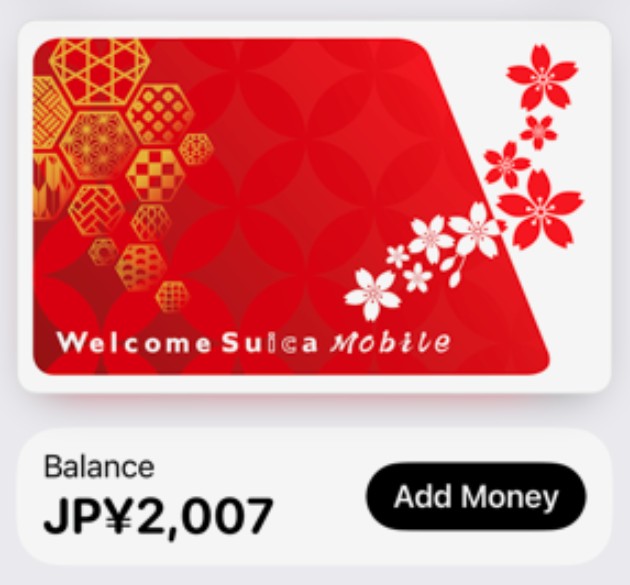
Launched by JR East in March 2025, Welcome Suica Mobile is a prepaid digital IC card designed specifically for international visitors to Japan. It lives in your Apple Wallet, works on your iPhone or Apple Watch, and lets you tap through virtually every train gate, subway turnstile, bus door, and convenience store checkout in the country — with a single touch. No tickets, no coins, no queues, no language barrier at the machine. Just tap and go.
There is genuinely nothing else like it for travellers. London has Oyster, Hong Kong has Octopus, Singapore has EZ-Link — but Suica is more widely accepted than all of them. It works on every major rail network in Japan, across all 47 prefectures, on thousands of buses, at over 1.6 million stores, and at virtually every vending machine in the country. Once you have it on your phone, you will barely need to think about payment logistics for your entire trip.
This guide covers everything you need to know: what Welcome Suica Mobile is, how to set it up, exactly where you can use it, how it compares to the physical card, and answers to the most common questions visitors have. If you are planning a trip to Japan and you have an iPhone, read on.
Already planning your rail routes? Pair this guide with our complete guide to the Japan Rail Pass — Suica and the JR Pass work together seamlessly, each covering what the other does not.


What Is Welcome Suica Mobile?
Suica is Japan's most widely used prepaid IC (integrated circuit) travel card, issued by JR East. The name is a backronym for Super Urban Intelligent Card, and the logo features a cheerful penguin that has become one of the most recognisable mascots in Japanese daily life. As of 2023, over 95 million Suica cards had been issued — roughly one for every person in Japan — and it is used for 6.6 million daily transactions.
Welcome Suica is a version of the card designed specifically for foreign visitors to Japan on a temporary visa. It has no deposit requirement, no membership registration, and works on exactly the same network as the regular Suica card. The Welcome Suica Mobile app, launched in March 2025, takes this a step further: it brings the card entirely to your iPhone, adds English-language support, and removes the need to buy a physical card at all.
Welcome Suica Mobile vs. the Physical Welcome Suica Card
The two versions of Welcome Suica are not the same, and for most visitors the mobile version is considerably better:
Validity: The mobile card is valid for 180 days from the date of issue. The physical card expires after just 28 days.
Setup: The mobile card can be issued instantly from your phone, including before you arrive in Japan. The physical card must be purchased in person at an airport or selected station.
Top-up: The mobile card tops up via Apple Pay using any linked international credit or debit card. The physical card requires cash, at a machine or convenience store counter.
Touch de Go Shinkansen: The mobile card is pre-activated for this service — you can board non-reserved Shinkansen seats on JR East lines immediately. Physical card holders must activate this separately at a ticket machine.
No deposit: Neither version requires a deposit — unlike the standard Suica card, which requires a refundable ¥500 deposit.
No refund on balance: Neither version allows cash refunds on remaining balance. With the mobile card, the balance expires 180 days after issuance — so aim to use it up before then.
How to Download and Set Up Welcome Suica Mobile
Welcome Suica Mobile is available on iPhone only. This is not an arbitrary restriction — it comes down to hardware. Apple Pay uses FeliCa NFC technology, the Japanese contactless standard that powers IC cards. iPhones sold worldwide include this chip; most non-Japanese Android phones do not. Android users will need to use the physical Welcome Suica card instead.
Requirements: iPhone with iOS 17.2 or later, and a credit or debit card already registered in Apple Pay. Apple Watch Series 3 or later is also supported.
Step-by-Step Setup
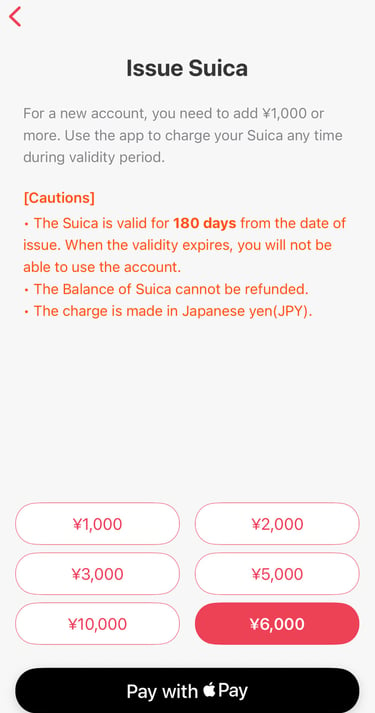
Download the app. Search for 'Welcome Suica Mobile' in the Apple App Store and download it. You can do this before you travel — in fact, this is recommended.
Open the app and set your secret keyword. On first launch you will be asked to create a secret keyword — this is like a PIN for customer support purposes, not a login password. Choose something memorable. You will also be asked to confirm your country of origin.
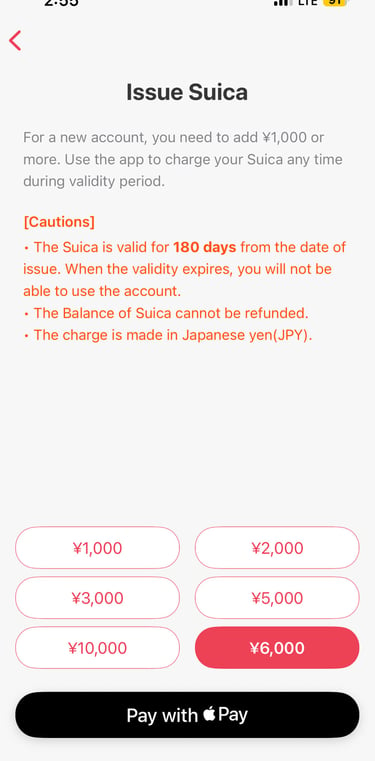
Select a top-up amount. Choose how much to load onto the card as an initial balance. Common starting amounts are ¥2,000 or ¥3,000. Payment is made through Apple Pay using any credit or debit card registered in your Wallet.
Your Suica is ready. The card is automatically added to your Apple Wallet. You will see a screen confirming 'Your Suica is now ready'. From this point, your iPhone is your Suica card.
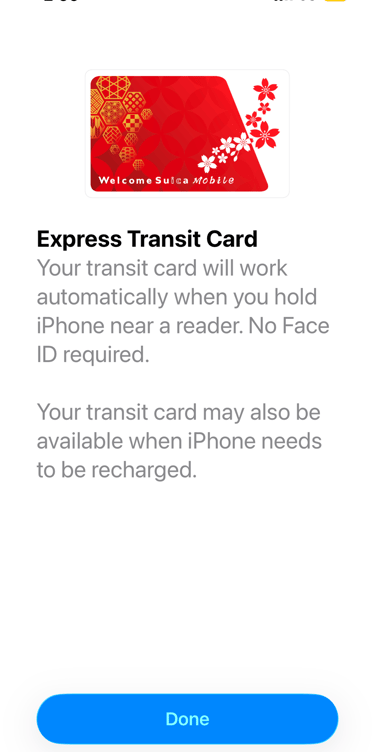
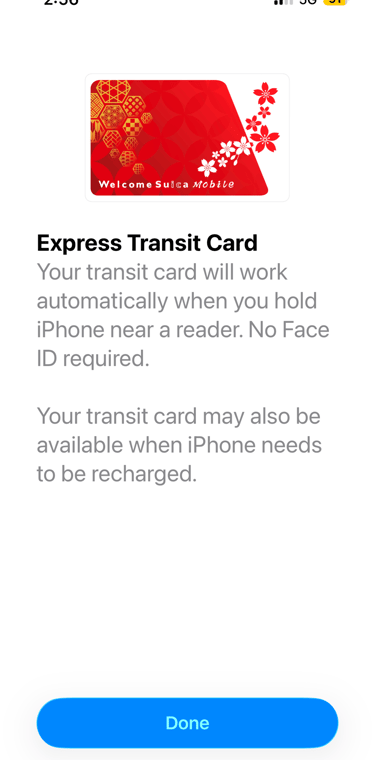
Enable Express Transit mode. In your iPhone Settings, go to Wallet & Apple Pay and set your Welcome Suica as the Express Transit card. This means you can tap through train gates without waking your screen or authenticating with Face ID — the fastest and most seamless way to travel.
Tip: You can set up Welcome Suica Mobile before landing in Japan, but some countries have restrictions on topping up until you are physically in Japan. If the top-up does not work from your home country, it will work as soon as you land.
Topping Up Your Balance
Topping up is quick and can be done directly in the app or through Apple Wallet at any time:
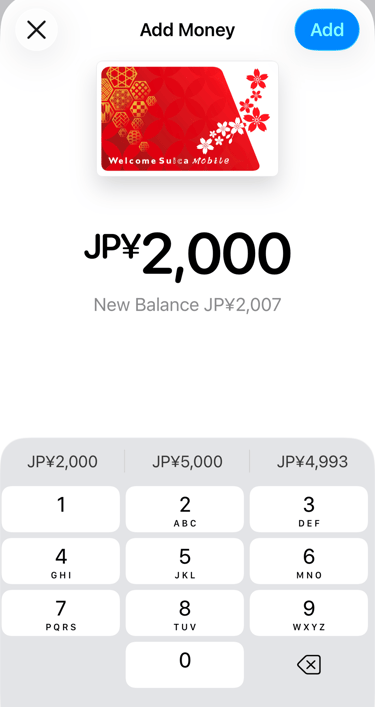
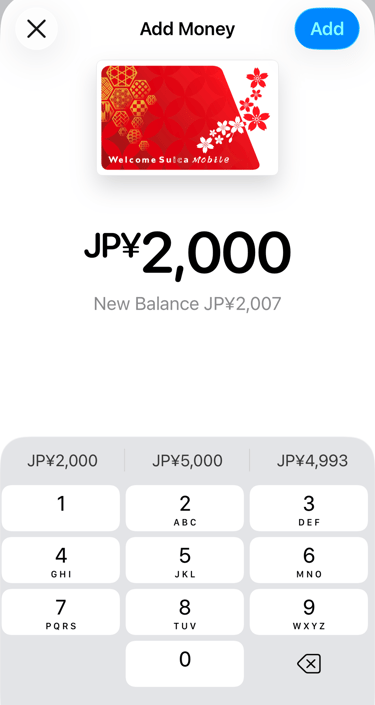
In the Welcome Suica Mobile app: Open the app, tap 'Add Money', select an amount, and confirm with Apple Pay.
In Apple Wallet: Tap your Suica card, then 'Add Money'. Same process.
At station ticket machines: Hold your iPhone near the IC card reader on the machine and follow the on-screen prompts to add cash.
At convenience stores: Tell the cashier you want to charge your Suica. They will guide you to tap your phone on the reader and select an amount.
The maximum balance is ¥20,000. Top up in amounts as small as ¥1,000.
Battery tip: Your iPhone can make Suica payments even when the battery is critically low — Apple Pay retains a reserve charge for this purpose, meaning the card keeps working for a few hours even after the phone shows as dead. Keep this in mind if you are running low.
How to Use Welcome Suica Mobile
Using the card is the same whether you have an iPhone or Apple Watch. The process is identical to tapping a physical IC card — the only difference is that you tap your phone instead.
On Trains and Subways
Look for the blue illuminated IC card reader at the ticket gate. Hold your iPhone (or Apple Watch) near the reader — you do not need to wake the screen or unlock the phone if Express Transit is enabled. You will hear a beep and the gate will open. Tap in when you enter the station and tap out when you leave. The correct fare is automatically calculated and deducted based on your entry and exit stations. You never need to know the fare in advance.
On Buses
On most buses in Japan, tap the IC reader when you board and tap again when you exit. The fare is deducted automatically. On fixed-fare buses (common in Tokyo), you only need to tap once on exit. Look for the IC logo near the driver's cabin or the exit door.
Touch de Go Shinkansen — Riding Bullet Trains Without a Ticket
One of the most useful features of Welcome Suica Mobile is Touch de Go Shinkansen — a service that lets you board non-reserved seats on certain JR East Shinkansen lines without buying a separate ticket. Simply tap your iPhone at the Shinkansen gate and the fare (including the Shinkansen surcharge) is deducted from your Suica balance automatically.
This is available on the Tohoku, Hokkaido, Akita, Yamagata, Joetsu, and Hokuriku Shinkansen lines operated by JR East. It covers non-reserved seating only — for reserved seats you still need a separate reservation ticket. Unlike the physical Welcome Suica card, the mobile version is pre-activated for this service with no additional setup required.
Important: Touch de Go Shinkansen is separate from the JR Pass. If you have a JR Pass, you will still use it for your Shinkansen journeys in the usual way (showing it at the gate and making a free seat reservation). Welcome Suica Mobile handles local trains, subways, buses, and convenience store payments — the two work alongside each other, covering different things.
Shopping and Payments
At any store, vending machine, or kiosk displaying the IC logo, you can pay with your iPhone. Tell the cashier you are paying with Suica (or just hold your phone near the reader when prompted). The amount is deducted instantly from your balance. You will hear a beep confirming the payment.
Where You Can Use Welcome Suica Mobile
This is where Welcome Suica separates itself from every other payment option available to Japan visitors. The list of places that accept it is not a list of compatible partners — it is essentially a description of daily life in Japan.
Transport
JR trains — All JR East lines, and via nationwide IC interoperability, JR lines across Japan including JR West, JR Central (Tokaido Shinkansen corridor local trains), JR Kyushu, JR Hokkaido, and JR Shikoku.
Tokyo Metro and Toei Subway — Both subway networks in Tokyo, covering every line across the city. This is the network most visitors use most heavily.
Private railways — Tokyu, Keio, Odakyu, Seibu, Tobu, Keikyu, Hankyu, Kintetsu, Nankai, and virtually every other private railway operator in Japan. Suica is accepted on all of them through the national IC card interoperability agreement.
Buses — City buses in Tokyo, Osaka, Kyoto, Hiroshima, Sapporo, Fukuoka, and most other cities across Japan. Intercity highway buses on many routes. Airport limousine buses at major airports.
Tokyo Monorail — The convenient link between Haneda Airport and central Tokyo is fully Suica-compatible.
Taxis — Many taxis across Japan accept IC card payments. Look for the IC logo on the payment terminal in the taxi.
Note on inter-regional travel: Welcome Suica can be used for local transport within each region of Japan, but cannot be used for continuous travel between different regions (e.g. you cannot use it to travel from Tokyo to Osaka on a single tap). For long-distance travel, you will use your JR Pass or separate Shinkansen tickets. Suica covers the local travel at each end.
Convenience Stores
This is one of the most underrated uses of Suica for travellers. Japan's convenience stores — 7-Eleven, FamilyMart, and Lawson — are extraordinary institutions that sell hot food, fresh sandwiches, excellent coffee, ATM services, printouts, and almost anything you might need at any hour of the day or night. They are also everywhere. Paying with Suica at the counter is instant and accepted at every major chain location nationwide.
Vending Machines
Japan has approximately five million vending machines — roughly one for every 25 people — and the vast majority of them accept Suica. Coffee machines at stations, cold drink machines on street corners, hot soup machines in winter, machines selling everything from umbrellas to fresh flowers. Tapping your phone on a vending machine is one of those small experiences that makes Japan feel genuinely futuristic, and it is available to you from the moment you land.
Restaurants and Fast Food
Major fast food chains including McDonald's, MOS Burger, Yoshinoya, Sukiya, and most ramen and udon chain restaurants accept Suica. Convenience store attached cafes, Doutor Coffee, and many independent cafes and station kiosks also accept it. Look for the IC logo at the payment terminal.
Supermarkets and Retail
Major supermarket chains, drug stores (Matsumoto Kiyoshi, Welcia), electronics retailers (Yodobashi Camera, Bic Camera, Yamada Denki), and department store food halls all accept Suica. It is also accepted at most kiosks and station shop chains such as NewDays, Kiosk, and Beck's Coffee.
Station Coin Lockers
Most station coin lockers in Japan now operate with IC card payment rather than coins or cash. Tap your phone to lock, tap to unlock. Your Suica card becomes the key. This is extremely convenient for storing luggage during day trips between cities — no need for coins or remembered locker numbers.
Accommodation and Sightseeing
Some hotels, ryokan, and sightseeing facilities accept Suica as payment, though this varies. Look for the IC logo. Selected tourist attractions, ferry terminals, and cable car stations also accept it.
Tips for Getting the Most Out of Welcome Suica Mobile
Download before you travel. The app can be set up at home. Even if you cannot top up until you land in Japan, having the app ready means you can add money and start using it within minutes of arriving.
Start with ¥3,000–¥5,000. A reasonable starting amount for a few days in Tokyo, covering multiple train rides, a few convenience store purchases, and a meal or two. Top up as needed — it takes about ten seconds through the app.
Use Express Transit mode. Setting your Welcome Suica as the Express Transit card in iPhone Settings means you tap through gates without unlocking your phone. This is the seamless, friction-free experience you want at busy stations.
Keep some balance in reserve. If your Suica balance runs out mid-journey, you will be stopped at the exit gate. You can use a fare adjustment machine inside the station to top up and exit, but it is better to avoid this by keeping ¥1,000 or more in reserve.
Keep it topped up as you go. Rather than large single top-ups, many experienced travellers find it easier to add ¥2,000–¥3,000 whenever the balance drops below ¥1,000. The process is fast enough to do while waiting on a platform.
Use it for everything small. This is the card's best trick. Any purchase under ¥2,000 or so — coffee, a vending machine drink, a convenience store snack, a coin locker — is faster with Suica than with cash or a credit card. It keeps your trip moving.
Check your balance in the app. The Welcome Suica Mobile app shows your current balance and transaction history at any time. You can also see the balance on the Apple Wallet card itself.
Welcome Suica Mobile and the JR Pass: Using Both
Welcome Suica Mobile and the JR Pass are not alternatives — they are complements. They cover different things and you will likely want both on a typical Japan trip.
The JR Pass covers unlimited travel on JR trains — including Shinkansen — for a fixed number of days. It is the right choice for long-distance intercity travel: Tokyo to Kyoto, Hiroshima to Fukuoka, the bullet train journeys that are expensive to buy individually.
Welcome Suica Mobile covers local travel within cities, non-JR lines (Tokyo Metro, private railways), buses, and everyday payments. No JR Pass covers Tokyo's subway network, the Kyoto city bus, the Osaka Metro, or a coffee at 7-Eleven. Suica covers all of that effortlessly.
The practical approach: use your JR Pass at the Shinkansen gate and for JR intercity journeys. Use Suica for everything else — city transport, local trains, convenience stores, vending machines, taxis, and coin lockers. Together, they handle the entire cost of getting around Japan.
For more on the JR Pass — which pass duration is right for your trip, how to activate it, and how to reserve seats — see our complete JR Pass guide and our guide on how to reserve Shinkansen seats online.
Find Best Hotel Deals in Japan
Frequently Asked Questions
Can Android users use Welcome Suica Mobile?
No — Welcome Suica Mobile is iPhone only. The app uses Apple Pay's FeliCa NFC chip, which is present in all iPhones sold worldwide but absent from most non-Japanese Android devices. Android users should purchase a physical Welcome Suica card at Narita or Haneda Airport, or at JR East Travel Service Centers at Tokyo, Shinjuku, Shibuya, Shinagawa, Ikebukuro, or Ueno stations.
Can I set up Welcome Suica Mobile before arriving in Japan?
Yes — you can download the app and go through the setup process before you travel. Some countries have restrictions on initial top-ups, however, and you may need to be physically in Japan to add your first balance. The app will let you know if this applies. Either way, you can download and register in advance and top up as soon as you land.
How long is the Welcome Suica Mobile valid?
The card is valid for 180 days from the date of issuance. This is significantly longer than the physical Welcome Suica card, which expires after 28 days. The 180-day window covers most short-to-medium trips comfortably, and if you return to Japan within that period the same card is still valid.
What happens to the balance when the card expires?
Any remaining balance on the Welcome Suica Mobile card is forfeited when the card expires — there is no refund available on either the mobile or physical version of Welcome Suica. The practical advice is to aim to use up your balance toward the end of your trip. You can always spend it on convenience store purchases, vending machines, or a final round of coffee at the airport.
Does Welcome Suica Mobile work for Shinkansen travel?
Yes, with an important distinction. Welcome Suica Mobile is pre-activated for the Touch de Go Shinkansen service, which lets you board non-reserved seats on JR East Shinkansen lines (Tohoku, Hokkaido, Akita, Yamagata, Joetsu, and Hokuriku) by tapping your phone at the gate. The fare is deducted from your Suica balance.
For reserved seats, or for Shinkansen lines outside the JR East network (Tokaido Shinkansen, Sanyo Shinkansen, Kyushu Shinkansen), you will need a separate ticket or a JR Pass. Welcome Suica covers the local and non-reserved Shinkansen travel; your JR Pass or individually purchased tickets cover the rest.
Can I use Welcome Suica Mobile in Osaka, Kyoto, and western Japan?
Yes. Suica works across Japan through a national IC card interoperability agreement. All major train and subway networks, buses, and most shops in Osaka, Kyoto, Hiroshima, Fukuoka, Sapporo, and every other major city accept Suica exactly as they do in Tokyo. You do not need a separate ICOCA or PASMO for different regions — one Suica handles the whole country.
What if my iPhone battery dies?
Apple Pay retains a small reserve charge specifically for Express Transit payments, which continues to work for a few hours even after your phone shows as completely dead. This means your Suica card keeps functioning even when your phone appears to have no battery. That said, keeping your phone charged is still strongly recommended — a dead phone is a dead navigation device, camera, and translation tool as well.
Can I use Welcome Suica Mobile on Apple Watch?
Yes — Apple Watch Series 3 or later is fully supported. You can add the card to your watch and tap through gates and payment terminals directly from your wrist. Many travellers find this even more convenient than using the iPhone, particularly at ticket gates where you do not need to take anything out of your bag.
What is the maximum balance I can hold?
The maximum Suica balance is ¥20,000 (roughly US$130). This is more than enough for a typical week of travel in Japan, covering trains, buses, and daily purchases. You can top up as many times as you like as long as the total does not exceed ¥20,000.
Is Welcome Suica Mobile different from regular Mobile Suica?
Yes. Regular Mobile Suica is the IC card app for Japanese residents — it requires a Japanese Apple ID, a Japanese bank account or compatible credit card, and JRE membership registration. Welcome Suica Mobile is designed specifically for foreign visitors: it requires no membership registration, accepts international credit and debit cards through Apple Pay, and is available in English. If you have a foreign iPhone and a foreign credit card, Welcome Suica Mobile is the right choice.
Where can I get support if something goes wrong?
The Welcome Suica Mobile app has an English-language support function accessible within the app. Support is provided by email in English only. You will need your secret keyword (set up during initial registration) to make support enquiries. For gate-related issues at stations, staff at any JR East station can assist regardless of language — approach the manned gate window and show your phone.
The Bottom Line
Japan has an extraordinary transit system — the trains are faster, more punctual, and more comprehensive than almost anywhere on earth. Welcome Suica Mobile is the key that makes all of it accessible with a single tap of your phone. No tickets, no queues, no coins, no fumbling at machines in a language you do not read. Just hold your iPhone near the reader and walk through.
But the real revelation is everything beyond the train gate. The convenience stores where you pay for your morning onigiri with a tap. The vending machine on a quiet street in Kyoto. The taxi at midnight after a long day. The coin locker that keeps your bag while you explore a city unencumbered. Suica is not just a transport card — it is the cashless layer that sits underneath daily life in Japan, and as a visitor with an iPhone you now have access to the mobile version of it from the moment you land.
Download it before you go. Set it up on the plane. Add your first ¥3,000 as you walk through arrivals. By the time you reach the station, you are already ready.
For help planning the train journeys themselves, see our complete guide to the Japan Rail Pass, our 7-day JR Pass itinerary from Tokyo to Fukuoka, and our guide on reserving Shinkansen seats online as a JR Pass holder.
Happy travels.